
SAYLS · ALL-IN-ONE TEAM INBOX
All-in-one team inbox.
A more productive team.
Bring WhatsApp, Instagram DMs and Facebook Messenger conversations into a shared team inbox. Filter by channel, identify the connected account and help your team reply with context. Website live chat has its own inbox view in the same SAYLS workspace.
 Website chat
 Clear chat ownership
 Less repetitive work
 Faster teamwork

DIFFERENT CHANNELS. A CONNECTED WAY TO WORK.
Your customers choose the channel.
Give your team one place to start.
Bring supported business messaging into SAYLS. Keep the channel, customer enquiry and next teammate clear.
 WhatsApp
Connected business numbers
Reply from the right eligible business number.
 Instagram
Business direct messages
Bring supported Instagram DMs into Team Inbox.
 Messenger
Facebook Page conversations
Help your team respond to supported Page messages.
 Website chat
Visitors with a question
A dedicated live-chat inbox in the same workspace.
Website live chat has its own inbox view in SAYLS. Channel rules, features and permissions remain distinct.
A clear conversation owner
Assign the enquiry to the teammate who can help.

The history stays together
Read earlier messages before sending the next reply.

Customer details close by
Use saved contact information and notes for a useful response.
ONE WORKSPACE. A BETTER WAY TO WORK.
Your shared inbox tools.
Less searching. More conversation.
From the first hello to the next step.
Explore the tools your team uses every day.
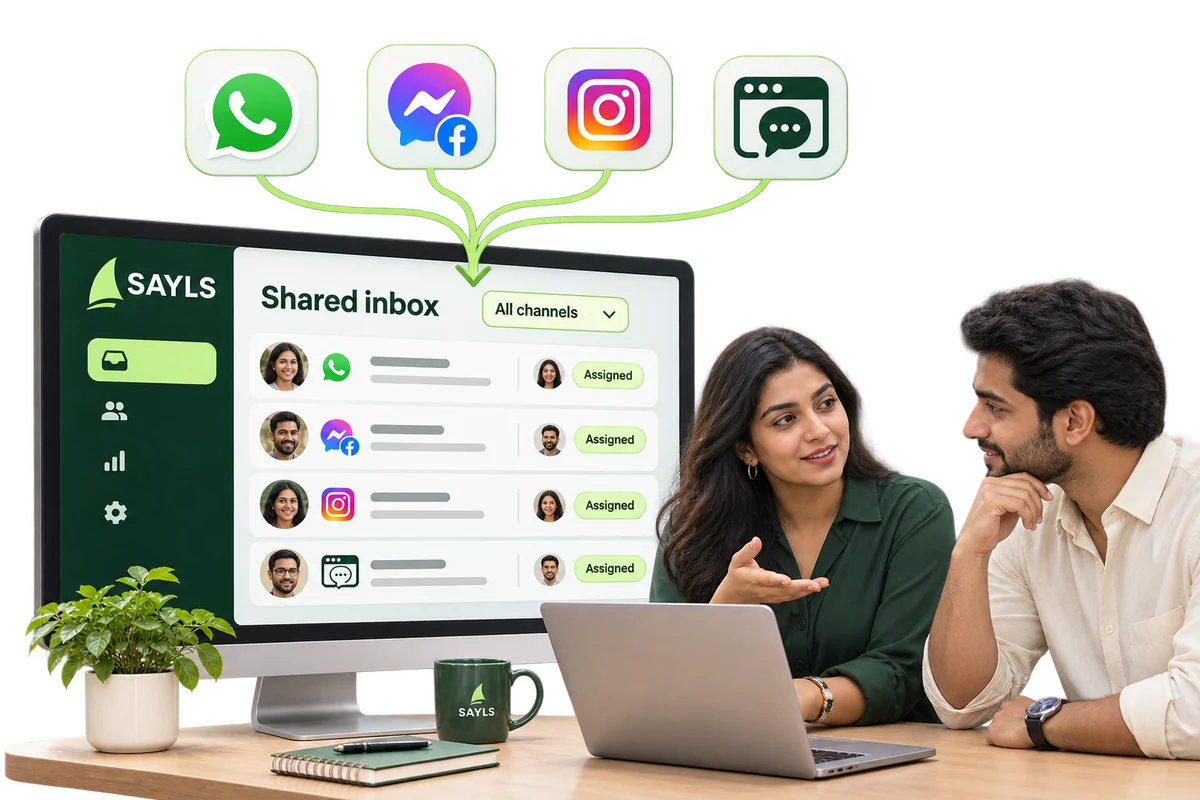
One place to see what needs a reply.
WhatsApp, Instagram and Messenger together—with clear channel identity.
✓All-channels conversation view+
Review WhatsApp, Instagram and Facebook Messenger conversations from the shared Team Inbox.
✓Channel filters+
Focus on WhatsApp, Instagram or Messenger when one channel needs your attention.
✓Connected account identity+
Recognise the channel and relevant connected account or WhatsApp number behind the conversation.
✓Conversation history+
Read available history for the selected conversation. Cross-platform identities are not automatically treated as one person.
✓Website chat in SAYLS+
Handle website visitors through the dedicated live-chat inbox in the same workspace.
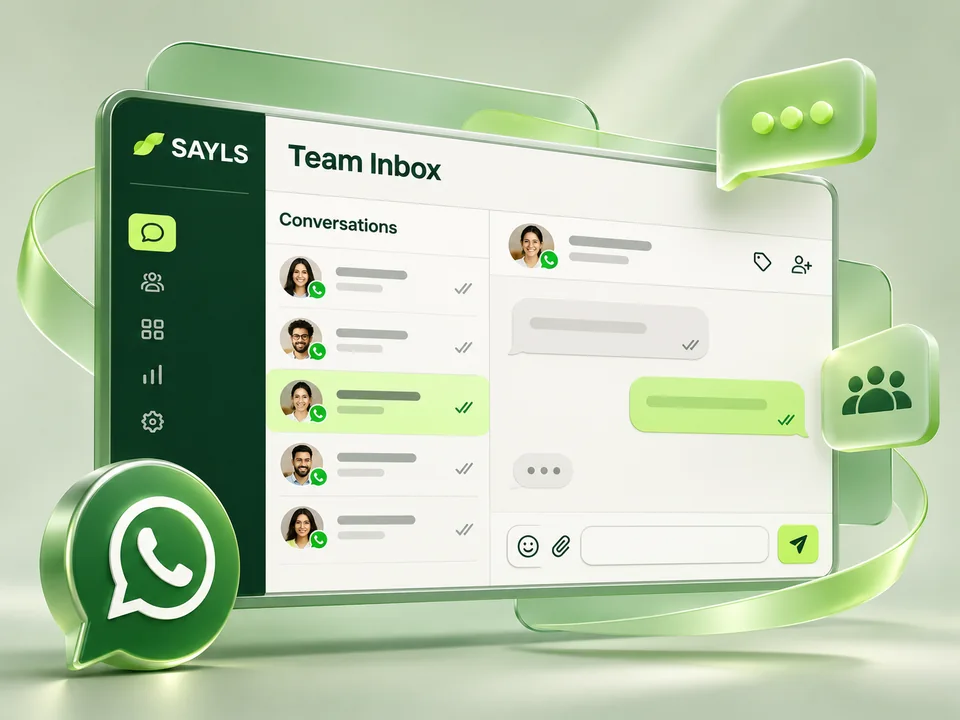
A shared inbox for your business numbers.
Use WhatsApp-specific tools on an eligible connected business number.
✓Multiple WhatsApp numbers+
Review connected numbers together or filter to one line within your plan.
✓Replies, media and saved answers+
Use supported text, media, voice notes, saved replies and conversation tools.
✓Templates and reply-window status+
Use approved templates when required and respect customer messaging permissions.
✓Configured bots and AI+
Use supported WhatsApp automation and AI with the required configuration and human handover.
✓Eligible WhatsApp calling+
Calling controls require an eligible connected number and calling setup.

Turn a DM into a useful next step.
Manage supported Instagram conversations without losing their source.
✓Instagram DM inbox+
Receive and reply to supported direct messages from a connected Instagram account.
✓Instagram account filter+
Focus on the relevant connected Instagram account when available.
✓Enquiry and customer context+
Use confirmed customer information and available conversation context for relevant follow-ups.
✓Instagram-specific setup+
Required account permissions and supported messaging tools apply. Instagram features and rules differ from WhatsApp.
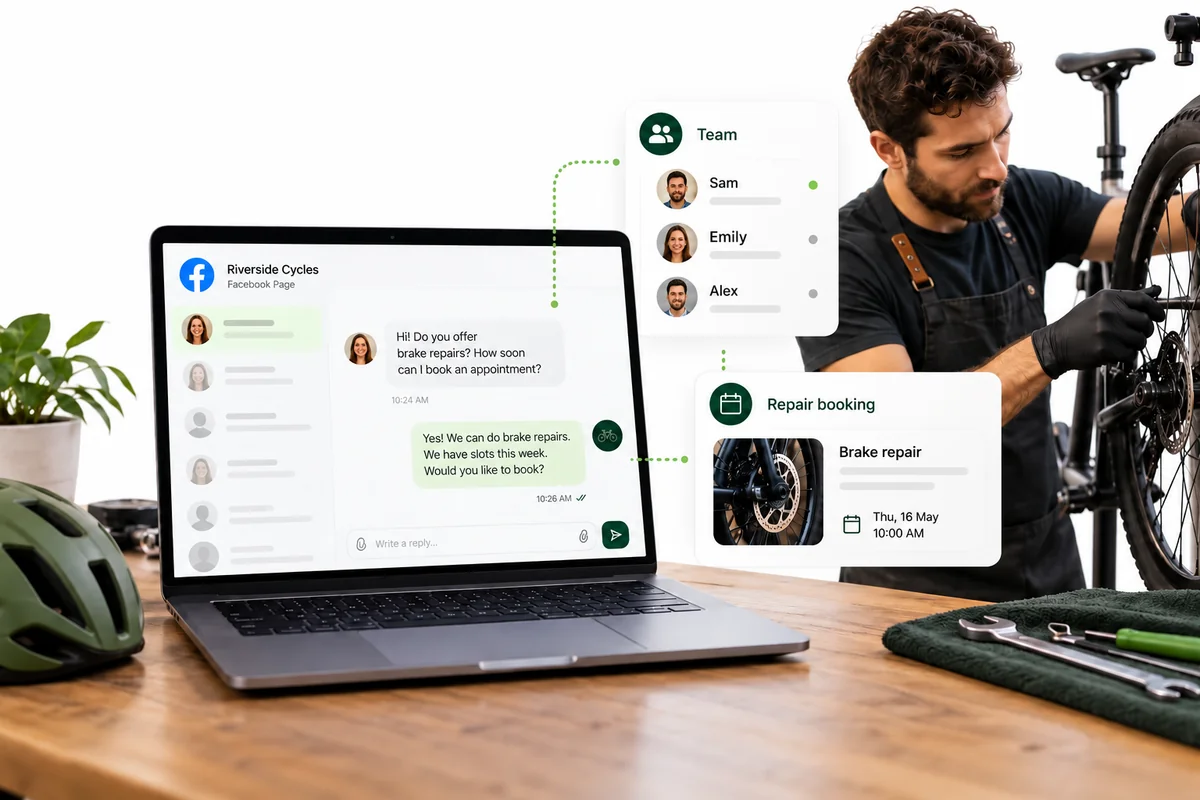
Give your Page messages a team response.
Bring supported Facebook Messenger conversations into Team Inbox.
✓Connected Page conversations+
Work with supported messages from your connected Facebook Page.
✓Messenger channel view+
Filter the shared inbox to focus on Messenger conversations.
✓Supported replies and media+
Use reply formats and media options available for the selected conversation.
✓Page permissions and messaging rules+
Keep the required Page access and follow applicable Messenger windows and provider rules.
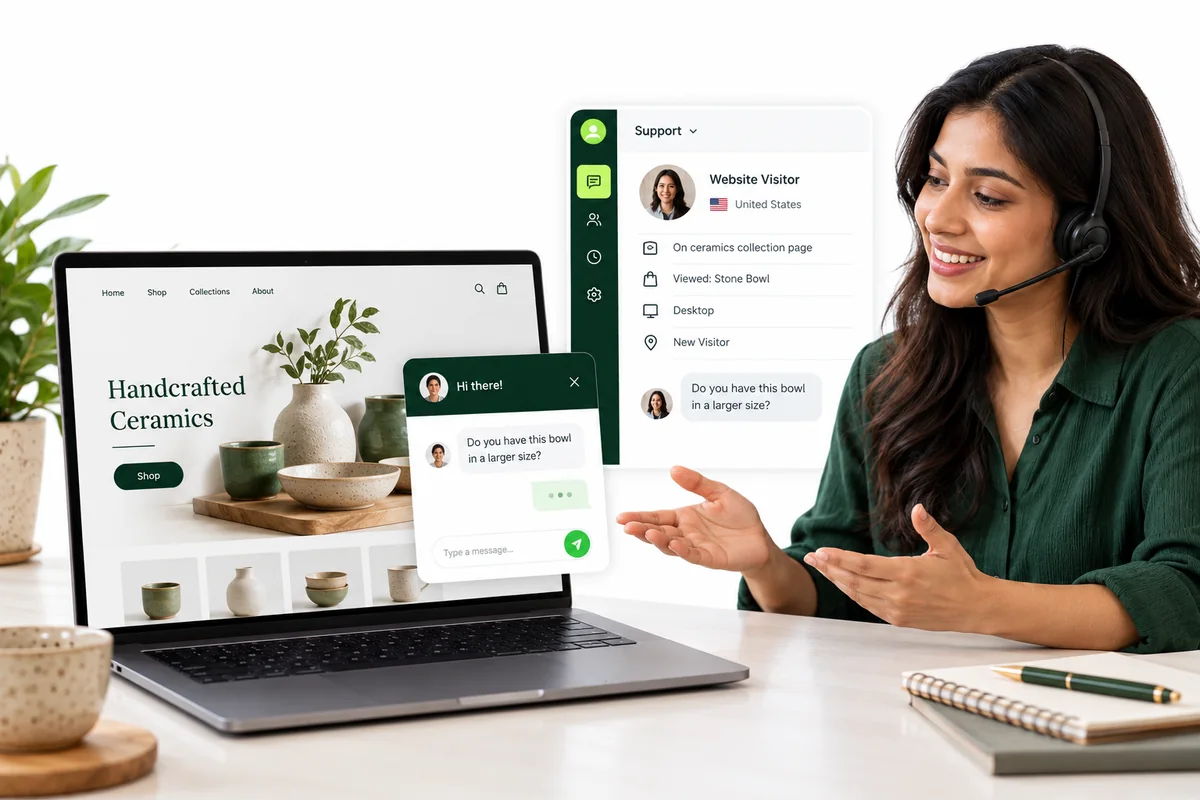
Be there for your website’s next question.
A dedicated website live-chat inbox inside your SAYLS workspace.
✓Website chat widget+
Add a supported SAYLS widget so visitors can contact your team.
✓Dedicated live-chat inbox+
Website conversations have their own view; they are not the same list as Meta messages.
✓Visitor context+
Review available page, device and visitor details to understand the enquiry.
✓Closure and feedback+
Use supported chat closure and satisfaction feedback within the live-chat workflow.
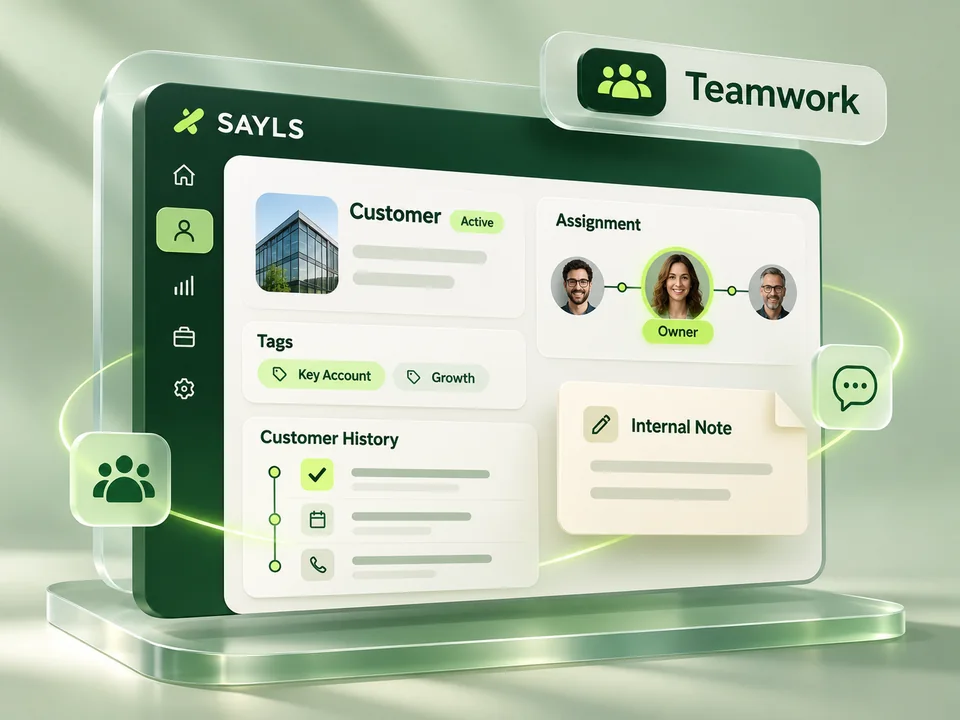
Clear ownership. A useful next reply.
Help authorised colleagues continue the conversation with context.
✓Individual team logins+
Give teammates their own access with relevant roles and permissions.
✓Assign and reassign conversations+
Use available ownership controls to help the appropriate teammate handle a conversation.
✓Customer details and internal notes+
Keep available customer information and supported notes close to the work.
✓Human handover+
Coordinate supported bot and AI activity with a person taking over. Controls depend on the channel.
✓Channel-aware operations+
Keep the conversation’s original channel, business identity and messaging rules in view.
Tools and permissions vary by channel. WhatsApp templates and calling are channel-specific; website live chat has its own inbox view.
Compare included features
Let bots handle the familiar
Configure supported reply flows and pause them when a person takes over.
Give colleagues their own access
Use individual team accounts with role-based permissions.

Find the answer in the history
Search the conversation instead of asking the customer to start again.
Good questions.
Straight answers.
Get to know your team inbox, from sharing access to knowing what’s included.
Your business is unique.
Let’s find your fit.
Need help choosing a plan or working out your setup?
Talk to the SAYLS teamGetting startedWhat is an all-in-one team inbox?
A shared workspace for customer conversations from connected business channels. SAYLS Team Inbox brings WhatsApp, Instagram DMs and Facebook Messenger into an all-channels view with channel filters. Website live chat has its own inbox view within the same SAYLS workspace.
Team accessWhich accounts can my team connect?
Connect eligible WhatsApp business numbers, supported Instagram business accounts and Facebook Pages with the required messaging permissions. Website chat uses a SAYLS widget and its dedicated inbox. Availability depends on your plan, integrations, account access and provider eligibility.
Conversation historyAre conversations from the same customer automatically merged?
Do not assume that customer identities or histories are automatically merged across platforms. Review the conversation and available context for its channel. Confirm the customer’s identity and relevant details before continuing an enquiry on a different platform.
Human handoverCan a teammate take over from automation or AI?
Yes, where the channel and configured workflow support it. Coordinate automated replies and human assistance using the relevant conversation controls and team permissions. WhatsApp Bot/AI controls and Meta agent handover have their own setup; controls are not identical on every channel.
Business numbersCan I manage multiple WhatsApp business numbers?
Yes. SAYLS supports eligible connected numbers within your plan. Review all numbers or filter to one, and confirm which business number the customer contacted. Team seats, accounts and feature allowances depend on your subscription.
Plans & chargesDoes one inbox mean identical features and charges on every channel?
No. Messaging windows, media, templates, calling and automation differ by channel. WhatsApp-only tools are not automatically available on Instagram, Messenger or website chat. The SAYLS subscription is separate from applicable Meta, AI, calling and other provider charges.
See plans & pricingHave something else in mind? We’re here to help
SELL - SUPPORT - GROW
Make your next enquiry
the start of something bigger.
Connect your eligible business channels, invite your team and test a real customer enquiry. Explore the Instagram inbox, Messenger tools and multiple WhatsApp numbers, then compare the plan that fits.