Messaging rules
 SAYLS editorial team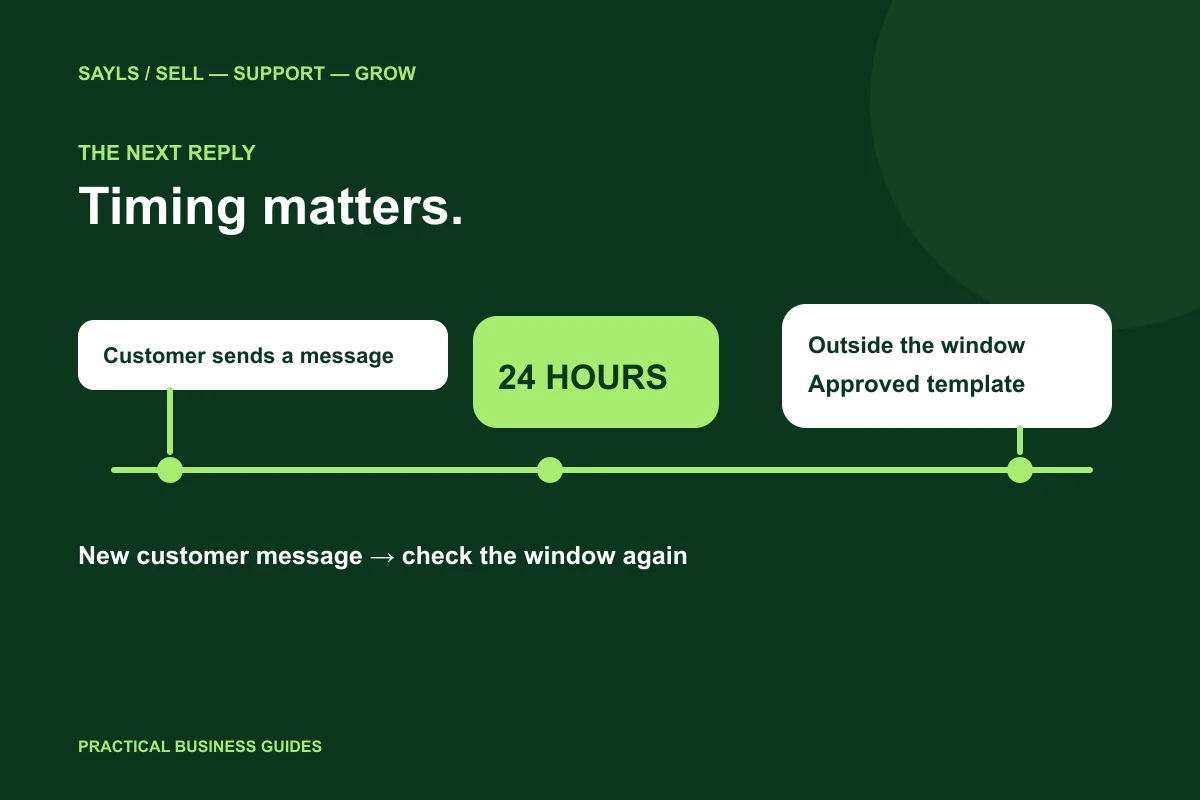

The useful short answer
Check the latest customer message first. Use a suitable reply during the open service window, or an appropriate approved template afterwards. Keep the customer’s question and next owner connected.
A customer asks a question on Friday. Your team picks it up on Monday, but the usual reply cannot be sent. The important detail is the time of the customer’s latest WhatsApp message, not when a staff member opened the inbox. Here is a practical way to plan customer service around that rule without turning every enquiry into an unnecessary follow-up.
A little preparation
Before you start
Have these ready so the next steps feel simpler.
Tick the items you have ready.
What you'll leave with
- A clearer response decision
- A deliberate out-of-hours handover
- A small workflow your team can test
STEP 1 OF 5
Start with the customer’s latest message
WhatsApp’s customer service window lasts 24 hours from the latest message a customer sends your business. A new customer message restarts that window. Your outgoing reply does not extend it. Within an open window, a business can respond without using a message template; outside it, an approved template is required.
For example, if a shopper writes at 3 pm on Monday and sends another question at 8 pm, use the later message as the reference. Do not confuse this messaging rule with a support-team shift or the time the contact was created. The official policy linked below is the source for the current rule.

Use the customer’s latest message as the reference.
STEP 2 OF 5
Decide whether the next message is actually useful
Before choosing a template, ask what the customer still needs. If they requested a quotation, prepare the answer and a relevant route back into the conversation. If an issue is already resolved, another message may add noise rather than value. A template is a format for an appropriate communication, not a reason to send one.
A useful internal handover records the question, the next owner and the promised action. In SAYLS, the shared inbox and customer context help colleagues understand the enquiry. Make reviewing recent history part of the team’s routine instead of asking the customer to repeat the whole conversation.
Confirm why the next message is helpful.
STEP 3 OF 5
Prepare a suitable template for a later response
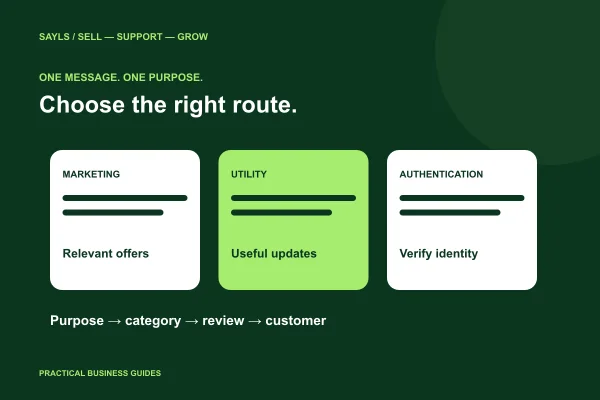
Keep a small library organised by genuine business purpose, such as a requested update or a relevant follow-up. Review the template’s current approval, language and intended use before sending. Do not reuse an unrelated approved message simply because it is available in the list.
In SAYLS, use message-template management alongside the selected business number and customer conversation. Preview the values that will replace variables. A colleague should be able to tell why the person expects the message and what the recipient can do next. If the customer replies, continue with the context they provide.
Check the actual template and its values.
STEP 4 OF 5
Make weekend and overnight handovers deliberate
Write down who reviews unanswered enquiries when a shift begins. Separate a new product question from a return request or an existing order issue, and pass each one to the right person. A short, accurate acknowledgement can help set expectations, but it must not promise a completed task that no one has performed.
Configured SAYLS bots, automation flows and AI can assist with supported questions. Decide where those tools stop and where a person takes over. For example, a bot may collect an order reference while the returns team makes the actual exchange decision. Keep the handover available and test it before using it with customers.
Name the person who handles the exception.
STEP 5 OF 5
Test one conversation before changing the whole process
Use an authorised internal test contact and check the selected number, message history and reply destination. Walk through an enquiry during a staffed period and a handover after a shift change. Review whether your instructions still make sense when the usual reply format is unavailable.
Choose a SAYLS plan around the inbox, automation and team resources you need. The pricing page holds the current plan information; an article should not freeze a price that later changes. Start with a small workflow you can evaluate, then expand the process that proves useful to your team.
Test with an authorised contact first.
Bring the steps together
A clearer way forward.
- 01Check the context
- 02Choose the right format
- 03Complete the handover
Go to the source
Official references
Provider screens and rules can change. Use the current official documentation for account-specific requirements.