Team workflows
 SAYLS editorial team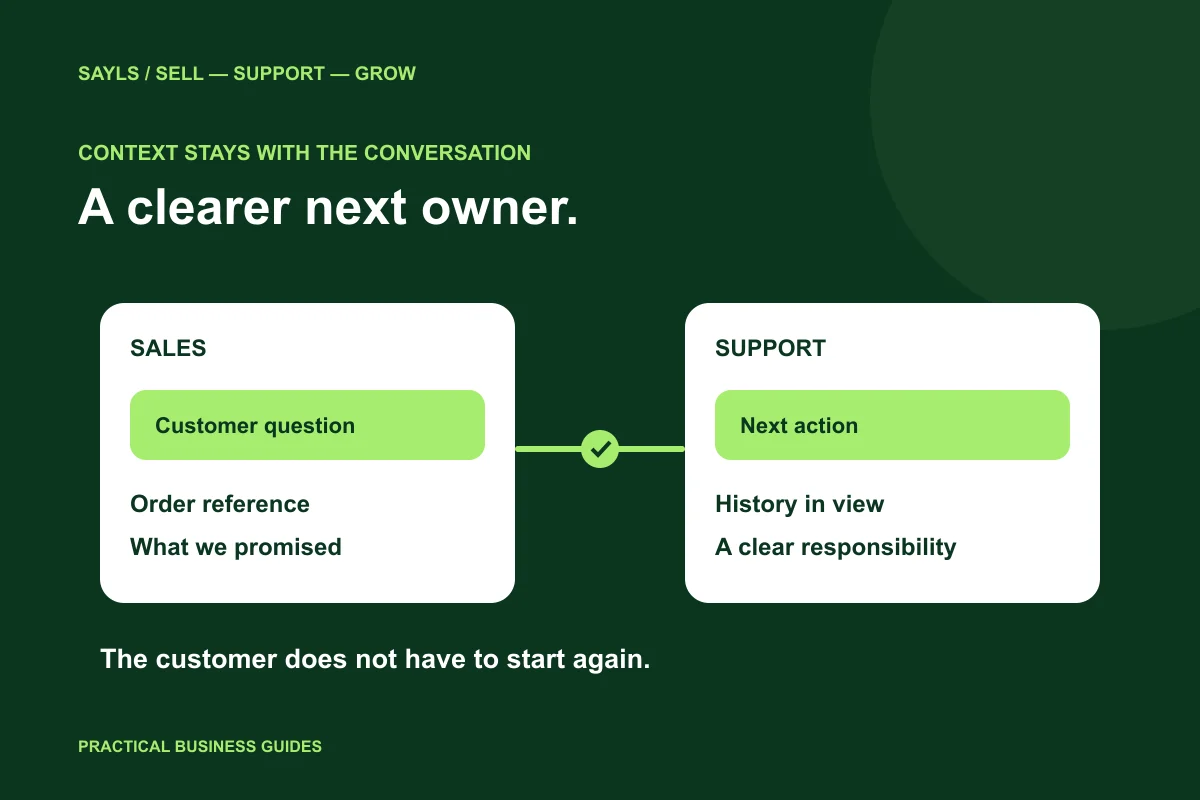

The useful short answer
Share the question, the useful history and the next owner. Test whether a second colleague can continue the conversation without asking the customer or another staff member to start again.
A customer explains an issue to sales, then explains it again to support. A third colleague asks for the same order reference. The problem is not always the speed of an individual reply. It is the missing connection between people. A useful shared-inbox process gives the next colleague enough context to take responsibility without making the customer start again.
A little preparation
Before you start
Have these ready so the next steps feel simpler.
Tick the items you have ready.
What you'll leave with
- A practical handover standard
- A clearer automation exception route
- A two-person acceptance checklist
STEP 1 OF 5
Define what a complete handover includes
Start with a small standard: what the customer needs, what has already happened, the next action and the person responsible. Record a useful order or enquiry reference where appropriate. Avoid long internal notes that repeat the whole chat but still fail to name the next step.
Take an ordinary exchange request as an example. The sales colleague should identify the question and the existing conversation. The returns colleague should know what decision they need to make. An assignment without that context can simply move the confusion to a different queue.

Record the question and next decision.
STEP 2 OF 5
Keep conversation history near the customer record
Use the SAYLS shared inbox and customer-management tools to keep relevant context available to the team. Select the right customer and business-number context before replying. For multi-branch operations, number identity matters: two conversations may belong to different branches even when the enquiry sounds similar.
Choose a few customer fields your operation actually uses, such as an enquiry type or reference. Review their accuracy rather than adding dozens of empty fields. Avoid saving payment-card details, passwords or unnecessary sensitive information in ordinary chat notes or customer fields.
Keep relevant history and fields together.
STEP 3 OF 5
Give the next reply a clear owner
Agree how your team decides who replies next. A new enquiry, an escalated complaint and a waiting order update may need different owners. Keep the process understandable when someone is on leave or a shift changes. Do not rely on one staff member remembering every open conversation.
In SAYLS, review team roles and permissions alongside the assignment workflow. Give colleagues access that matches their job, and test with a normal team account as well as an administrator account. A process that only works for the owner is not ready for a larger team.
Confirm the next owner’s access.
STEP 4 OF 5
Make the automation-to-person route clear
A configured bot or AI assistant can collect a common question or an order reference. Decide what it is allowed to answer, when it should stop and how the human team receives the enquiry. Do not let a greeting imply that an exception, refund or appointment has been approved when that decision has not happened.
WhatsApp’s policy calls for a clear escalation route when automation is used. Design your customer message around that requirement: explain the next step in plain English and let the person reach suitable help. Review the handover using the exact workflow you have configured in SAYLS.
Test how a person takes over.
STEP 5 OF 5
Run a two-person test before adding more people
Have one colleague handle the first message and another take over. The second person should be able to describe the customer’s request, the selected number and the next action without asking for an off-platform explanation. If they cannot, improve the record or the assignment routine before scaling it.
Repeat the test with a routine question and an exception. Review whether the customer receives a consistent answer and whether staff understand their responsibility. Use the current SAYLS pricing comparison to choose the team, number and automation allowances that support this process, rather than buying capacity without a clear workflow.
Run the handover with two colleagues.
Bring the steps together
A clearer way forward.
- 01Capture useful context
- 02Assign the next action
- 03Continue the conversation
Go to the source
Official references
Provider screens and rules can change. Use the current official documentation for account-specific requirements.

 A little clarity goes a long way